
Screenshots
App details
- Updated
- Nov 22, 2011
- Language
- English
- Category
- Mobile
SoftPas in:
This product is also available in the following languages:
About WallMagician
Download WallMagician – Desktop Wallpaper, Wallpaper Manager, Image Organizer, Desktop Customization, Personalization Tool
Overview
WallMagician is a lightweight desktop management tool designed to streamline the process of setting and organizing computer wallpapers. Targeted at users who frequently change their desktop backgrounds, the application offers a dedicated solution for managing image collections with minimal effort. By centralizing wallpaper selection and organization, WallMagician eliminates the need for manual file navigation and repetitive image application, making it ideal for users who value visual variety and personalization. The app supports the creation of custom wallpaper lists, enabling users to queue images for automatic rotation, which enhances the dynamic nature of their desktop environment. Its core purpose is to simplify desktop customization, turning what could be a time-consuming task into a seamless experience. Designed by Thomas P. Larson, WallMagician has been available since 2011, indicating a long-standing presence in the productivity software space. Though the developer did not provide additional technical details, the app’s continued availability suggests a stable and functional design. Real-world use cases include daily wallpaper cycling for personal enjoyment, organizing themed image sets for creative projects, or maintaining a curated collection of high-resolution visuals. In the broader app ecosystem, WallMagician fills a niche for lightweight, no-frills utilities that prioritize user control and efficiency in desktop personalization.
Key Features & Functionality
- Create Wallpaper Lists: Users can build custom collections of images to be cycled through automatically. This feature allows for scheduled or sequential wallpaper changes without manual input, ideal for those who enjoy rotating backgrounds daily or by theme.
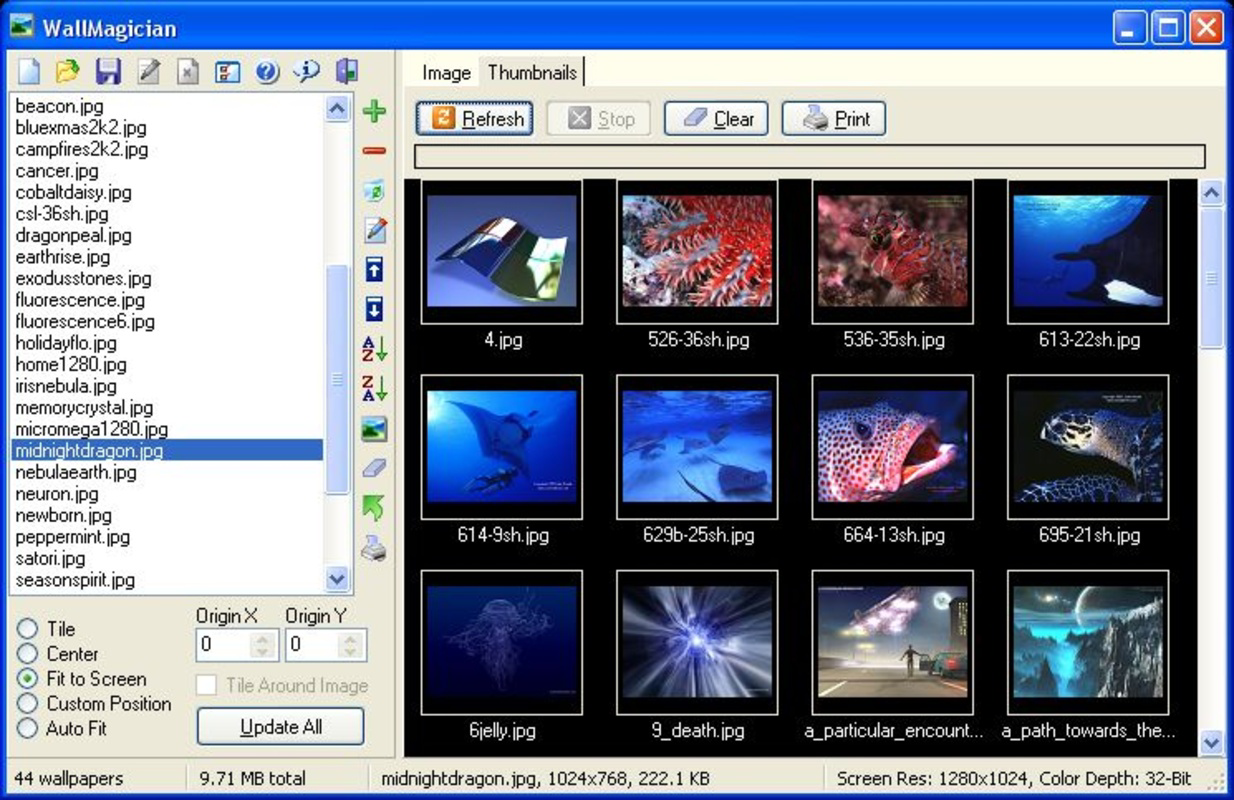
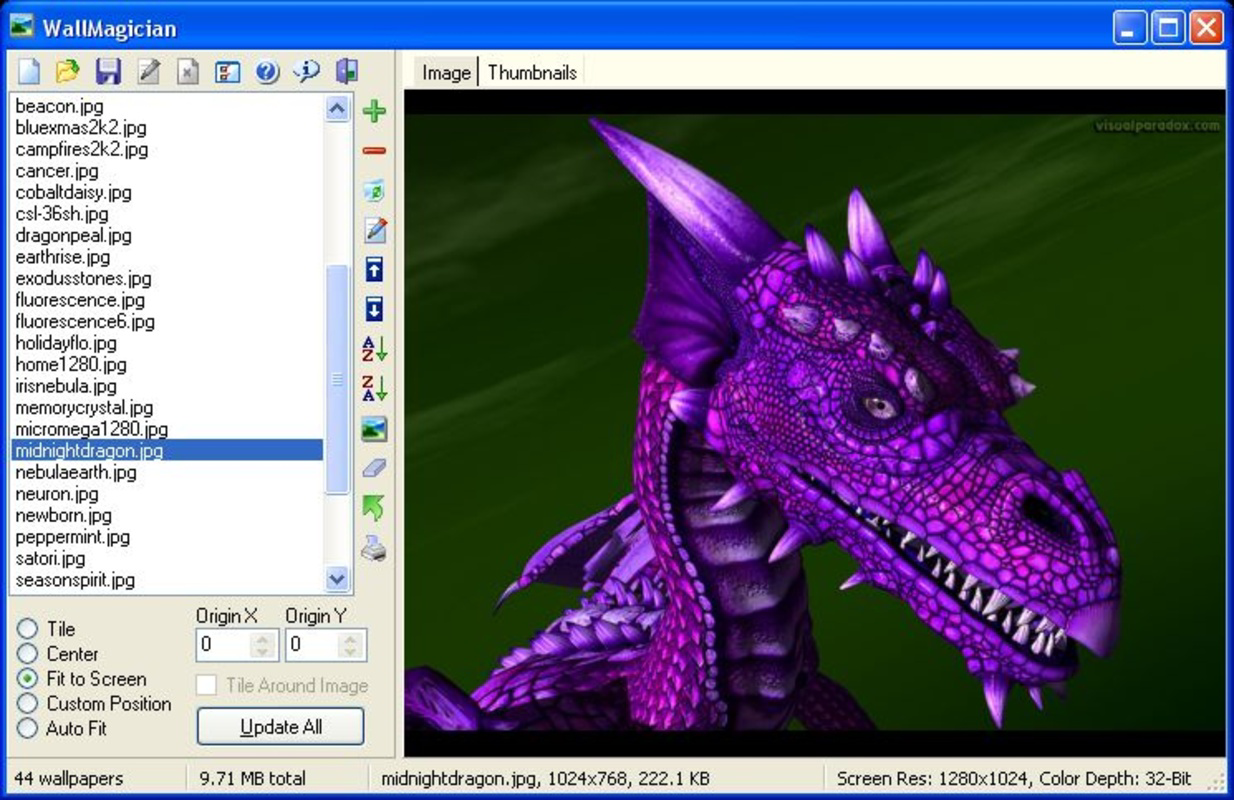
- Detailed Image Information: WallMagician displays essential metadata such as file name, dimensions, file size, and format. This transparency helps users select images that match their screen resolution and storage preferences, reducing display issues.
- Automatic Wallpaper Changes on Boot: The app can be configured to apply a new wallpaper each time the computer starts. This ensures a fresh desktop appearance with no user intervention, enhancing the sense of personalization with every session.
- User-Friendly Interface: The design emphasizes simplicity and clarity, with straightforward navigation and intuitive controls. Even users with limited technical experience can manage their wallpaper library without confusion.
- Versatile for Frequent Users: Whether for casual enjoyment or dedicated customization, WallMagician adapts to different usage patterns. It supports both spontaneous changes and structured rotation schedules, making it suitable for a wide range of personal preferences.
For example, a user might create a “Nature” list with mountain, forest, and ocean images to cycle through during work hours. Another might use the automatic boot feature to display a different motivational quote image each morning. These practical applications demonstrate how WallMagician enhances daily digital experiences through subtle but meaningful personalization.
Interface, UX & Performance
WallMagician features a clean, minimalist interface that prioritizes functionality over visual flair. The layout is organized around core actions—viewing, selecting, and managing wallpaper files—ensuring users can complete tasks with minimal steps. Navigation is linear and predictable, with clearly labeled sections for image lists, metadata, and settings. The application’s responsiveness is consistent across device categories, though specific performance metrics were not disclosed. Although the developer did not list formal performance metrics, the app’s small file size of 1.2 MB suggests efficient resource usage, likely contributing to smooth operation even on older systems. Stability appears reliable, given the app’s long-standing release history. Users can expect minimal lag when browsing image libraries or applying changes. The interface supports direct actions such as renaming or deleting images within the list, reducing the need to switch between applications. While no accessibility features were mentioned, the straightforward design makes it accessible to users with varying levels of digital literacy. Overall, the UX is optimized for speed and clarity, aligning with its role as a productivity utility focused on a single, well-defined task.
Platform Compatibility & Technical Requirements
WallMagician is designed for the Windows platform, ensuring compatibility with a wide range of desktop systems. The application runs on Windows operating systems, though specific OS version requirements were not listed. The file size is 1.2 MB, indicating a lightweight footprint that does not burden system resources. This small size contributes to quick installation and minimal impact on storage. The app is available at no cost, making it accessible to users across different economic backgrounds. Although the developer did not specify minimum OS requirements, its long-standing presence since 2011 suggests broad compatibility with mainstream Windows versions. Users are advised to verify system compatibility before installation, especially on newer or less common configurations. The lack of detailed technical specifications means users should rely on standard Windows installation practices. For those seeking a simple, no-cost tool for desktop wallpaper management, WallMagician presents a low-risk, high-reward option.
Pros and Cons
Pros
- Free to download and use, making it accessible to all users.
- Lightweight design with a small file size of 1.2 MB.
- Supports automatic wallpaper changes on system boot.
- Provides detailed image metadata for informed selection.
- Intuitive interface suitable for users of all experience levels.
- Enables creation of custom wallpaper lists for organized rotation.
Cons
- Specific OS requirements were not disclosed by the developer.
- No information was provided about update frequency or support lifecycle.
- Platform availability is limited to Windows only.
- Advanced customization options were not mentioned.
- Limited visual feedback or themes within the interface.
FAQ
Is WallMagician safe to download and install?
Yes, WallMagician is a free tool developed by Thomas P. Larson and has been available since 2011. While no third-party security verification was provided, its long-standing presence and small file size suggest it is a low-risk utility.
Can I use WallMagician on Windows 10 or Windows 11?
Although the developer did not specify compatibility details, the app has been available since 2011 and is likely compatible with modern Windows versions. Users are advised to test installation on their system.
Does WallMagician require an internet connection?
No, the application operates offline and does not require an internet connection to manage or apply wallpapers.
How often can I change my wallpaper using WallMagician?
Users can set the app to change wallpapers automatically on boot or manually at any time. The frequency depends on user preferences and list configurations.
Is WallMagician available for macOS or mobile devices?
Currently, WallMagician is only available for Windows. There is no information about versions for macOS, iOS, or Android.
Final Thoughts
WallMagician remains a reliable and efficient tool for users seeking a simple way to manage and personalize their desktop backgrounds. Its core strengths—lightweight design, automatic boot changes, and detailed image information—make it a standout in the productivity category. While it lacks modern features like cloud sync or advanced automation, its focused functionality delivers consistent value for frequent wallpaper changers. The app is particularly beneficial for individuals who appreciate visual variety without the complexity of larger software suites. For those looking to enhance their desktop experience with minimal effort, WallMagician offers a secure, free, and effective solution. With a proven track record and a user-friendly approach, it continues to serve as a practical utility in the digital workspace. Download WallMagician now.
Guides & Tutorials
How to install WallMagician
- Click the Download button above.
- Once redirected, accept the terms and click Install.
- Wait for the WallMagician download to finish on your device.
How to use WallMagician
This software is primarily used for its core features described above. Open the app after installation to explore its capabilities.
User Reviews
No reviews yet. Be the first to share your experience.
You may also like
more
Que no te pillen¡
About !Que no te pillen¡Reviewed by Jason A. BilbreyShow MoreShow Less

3D Combat Zone
About 3D Combat ZoneOriginally released in 1983, 3D Combat Zone immerses players...

666: El día del portal
About 666: El día del portalOn June 6, 2006, Agent P. Stone uncovers a sinister...

80 in 1 Best Flash games
About 80 in 1 Best Flash games 80 in 1 Best Flash games is a collection of 80 fl...

ABYSS SEEKERーーWhat Do You See Deep in The Abyss
About ABYSS SEEKERーーWhat Do You See Deep in The AbyssIn ABYSS SEEKER, players...

ACA NEOGEO THE KING OF FIGHTERS 2002 for Windows
About ACA NEOGEO THE KING OF FIGHTERS 2002 for WindowsTHE KING OF FIGHTERS 2002,...